
Product photos from the photo you already have
Attach your product photo, pick a scene, and get a studio, lifestyle, model, flat-lay or seasonal shot with the product and its label kept. From $0.058 an image, paid per image from one balance, with no subscription.
One packshot, six models
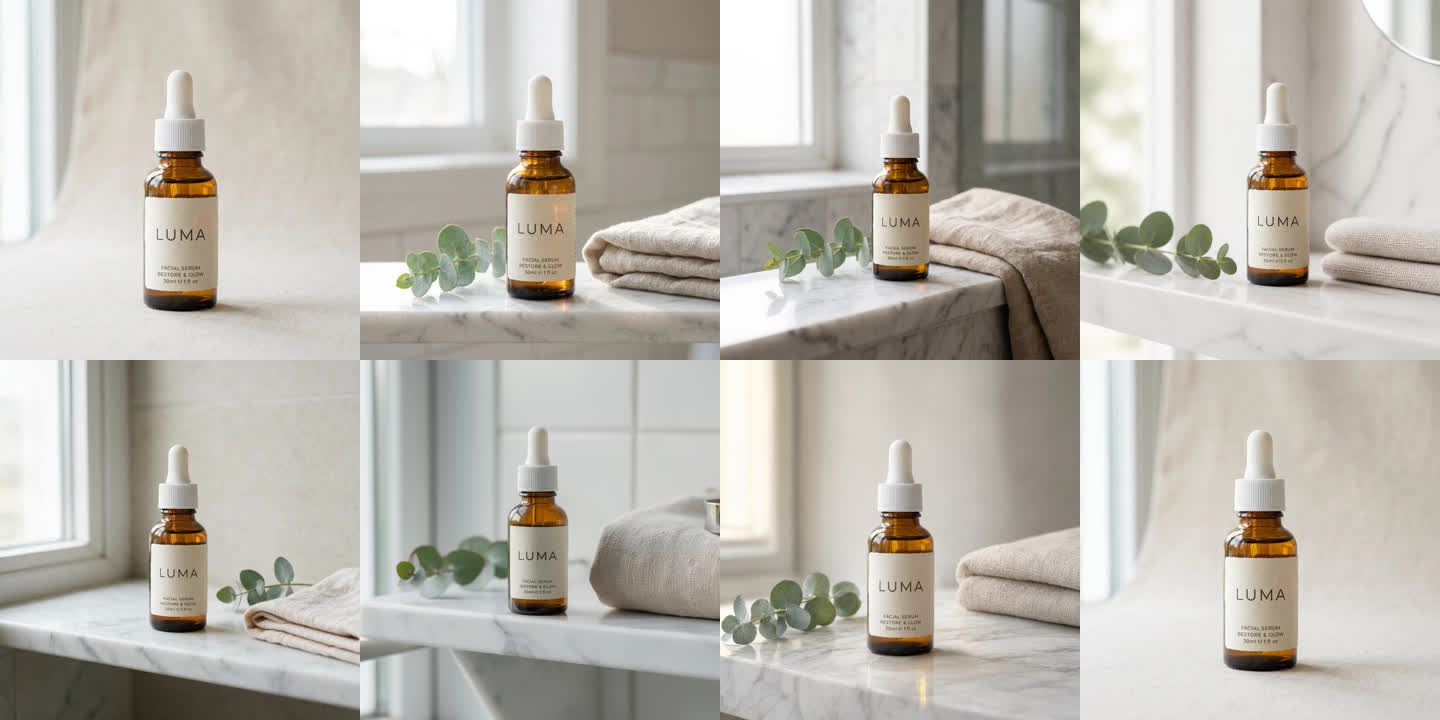
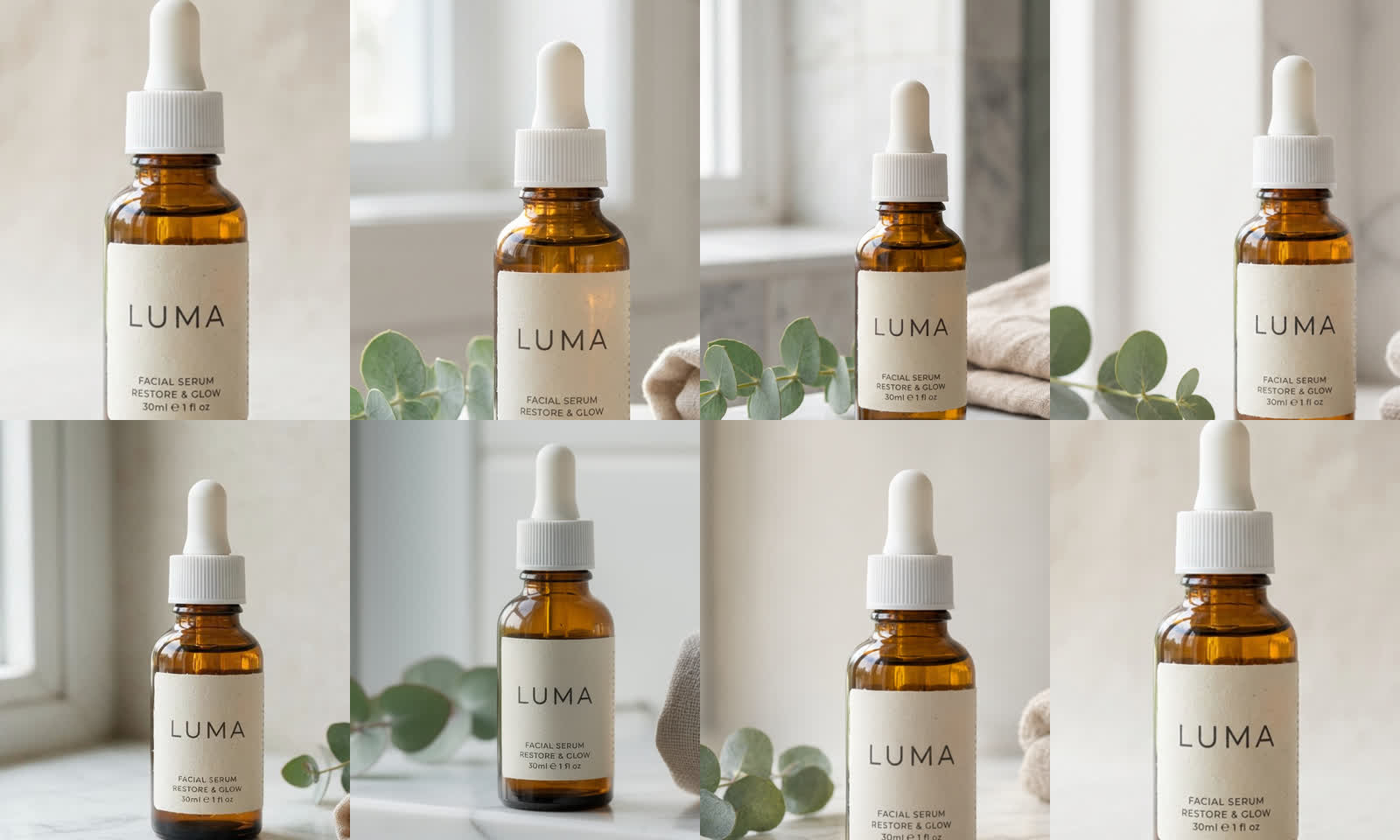
Made in GenMagic on October 29, 2026 from one packshot of a serum bottle, with the same instruction for each model. The product was generated for the test, so no real brand is shown.
Start from a style, then make it yours
Each opens the studio with the prompt filled in. Attach your product photo, add a detail if you like (a surface, a color, a season) and generate.
White studio
Professional e-commerce product photo on a clean white seamless background, soft studio lighting, gentle shadow. Keep the product itself exactly as in the photo: same shape, colors, materials, label, logo and proportions.
Use this styleLifestyle scene
Lifestyle product photo of this product in a tasteful real-life setting where it is used, natural light, shallow depth of field. Keep the product itself exactly as in the photo: same shape, colors, materials, label, logo and proportions.
Use this styleWith a model
A person naturally using or wearing this product in a bright, modern setting, editorial photo. Keep the product itself exactly as in the photo: same shape, colors, materials, label, logo and proportions.
Use this styleFlat lay
Top-down flat lay product photo with complementary props on a styled surface, even soft light. Keep the product itself exactly as in the photo: same shape, colors, materials, label, logo and proportions.
Use this styleSeasonal
Seasonal holiday product photo with festive but uncluttered decoration around the product, warm light. Keep the product itself exactly as in the photo: same shape, colors, materials, label, logo and proportions.
Use this style
The steps behind the examples
1. Attach the product photo
In the studio, choose Image and attach your clearest packshot: the whole product in focus, the label readable.
2. Describe the scene and what must stay
Name the setting and the light, then say the product stays exactly as it is. The test's instruction:
Place this exact serum bottle on a white marble bathroom shelf beside a small eucalyptus sprig and a folded linen towel, soft morning window light, shallow depth of field, premium skincare product photography. Keep the bottle, its amber glass, the white dropper and the LUMA label exactly as in the image.
3. Pick the model, or compare two
All six kept the label, so price and speed decide. Nano Banana 2.1 was the fastest and cheapest in the test. Run it beside GPT Image 2 on your photo and keep the better one.
4. Check it at full size
Compare the label, the color and the proportions with the real product before the photo goes on a product page.
The six models in the test
| Model | Cost in the test (Oct 29) | Price today | Time | Result |
|---|---|---|---|---|
| Nano Banana 2.1 | $0.049 | $0.058 | 13 s | Label exact, small print included |
| GPT Image 2 | $0.05 | $0.058 | 14 s | Label exact, small print included |
| FLUX.2 Pro | $0.059 | $0.045 | 13 s | Label exact, small print slightly soft |
| Qwen Image 3 Pro | $0.056 | $0.06 | 71 s | Label exact, product larger in frame |
| Seedream 5.0 Pro | $0.059 | $0.068 | 81 s | Label exact, small print included |
| Nano Banana Pro | $0.18 | $0.23 | 24 s | Label exact, built for harder jobs |
The test's costs are what each 1024 by 1024 image was billed on October 29, 2026; price today is the same image now. The full write-up is our product photo test.
Marketplace rules worth knowing
- Amazon: the main image must be a real photo of the product on pure white. Keep your real packshot there and add AI lifestyle and studio shots as the additional images.
- Etsy: the first photo is the thumbnail buyers see in search, so add new photos after it; every photo must show the item as the buyer receives it. To see which listings and search terms sell in your category, EverBee (opens in new tab) shows Etsy sales estimates (a referral link: GenMagic earns a commission if you subscribe, at no extra cost to you).
- OTTO and Kaufland: OTTO takes JPG or PNG in RGB, at least 500 x 1000 pixels and at most 4500 wide; Kaufland takes JPG, PNG or GIF by a public address. Their image rules in German are on the German page.
- Every store: the photo must show the product as it is sold. Add props and scenes, never a feature, color or accessory it does not have.
- Size: start from your largest original; marketplaces zoom product images from about 1000 pixels on the long side.
In your WooCommerce shop
The GenMagic WordPress plugin puts these five styles in a Product photos box on every WooCommerce product, and adds the photos you keep to the product gallery.
Automate it
The same request runs through the GenMagic API with the product photo as image, and inside n8n and Make, so a new product can get its photos without anyone opening a tab.
About AI product photos
Does the AI keep my product and its label?
In our test on October 29, 2026, all six image models kept the product and its label word for word, small print included. Still check every image at full size before you use it: a product photo has to show the item as the buyer will receive it.
How much does an AI product photo cost?
You pay per image from a prepaid balance, with no subscription. Nano Banana 2.1 costs $0.058 for a standard square image today. Each model's price shows before you generate, and an image that fails is not charged.
Can I use AI images on Amazon?
Amazon's main image must be a real photo of the product on a pure white background, so keep your real packshot there and use AI lifestyle and studio shots as additional images. They must show the product exactly as it is sold, with nothing it does not include.
Which photo should I start from?
Your clearest, largest packshot: the whole product in focus, evenly lit, the label readable. The model can only keep what it can see.
Do I get an invoice for my shop?
Yes. Every top-up bought at checkout and every plan payment comes with an invoice, linked in the confirmation email, and at checkout you can add your company's VAT or tax ID to show on it.
Can I make photos for a whole catalog?
Yes. The same request runs through the GenMagic API with the product photo as the image, so a script, an n8n or Make workflow can make photos for every product from one balance.